One snippet on the page,
the assistant is there.
The widget answers questions from your own knowledge base – with sources, in the language they were asked in, around the clock. This page describes every function in detail.
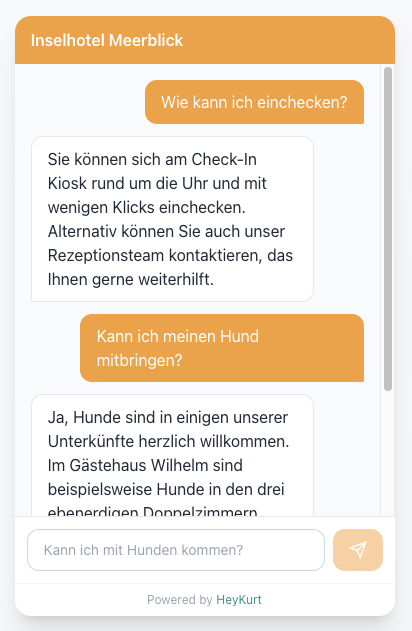
Where the widget sits
On a hotel's website
Guests ask about amenities, how to get there and free dates before they book. With a connected booking engine the chat leads up to a pre-filled booking form. Fullscreen on a phone — which is why the QR code at reception or in the room works too.
For hotels & holiday parksOn your help page
Customers ask there before they write a ticket. The widget answers from the same manuals and solved tickets as the internal chat. Per widget you decide which sources are shared and whether the source links stay visible.
For support teamsOne snippet before the closing body tag
The ready-made code with your widget ID and key is in the app under Integrations → Chat Widgets → Embed Code. It loads widget.js asynchronously, so your page never waits for it.
Configuration comes from the server
On load, the widget fetches its settings from the app. Colours, welcome message, quick suggestions and language are changed there – your website never has to be touched again.
Allowed domains
With the domain list filled in, the widget only works on those domains. Empty means: wherever the snippet sits.
A switch instead of removing code
A disabled widget no longer serves any configuration and does not appear. The snippet can stay on the page.
Message limit per session
The default is 10 messages per minute per session, adjustable from 1 to 120.
Several widgets per account
One per property or per audience, for example: own welcome message, own colours, own key – the same knowledge base.
Open on load
Optionally the chat starts expanded rather than as a bubble, for instance on a service page built around it.
What happens in the chat window
The flow is built so that nobody sits in front of a spinner and nobody gets an invented answer.
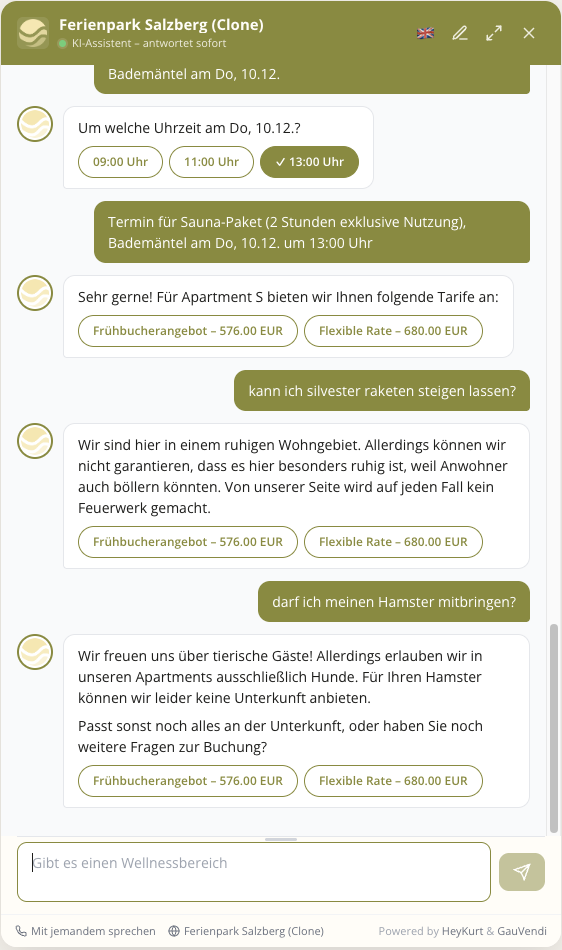
The answer appears as it is written
Text is streamed word by word instead of arriving in one block.
Visible intermediate steps
When the assistant looks something up – availability, timetables, prices – the step shows in the chat. Completed steps stay visible with a checkmark; alternatively a single line just shows the current state.
Stop
While an answer is running there is a stop button. The input field is editable again immediately afterwards.
Line break instead of send
Shift+Enter, Ctrl+Enter and Cmd+Enter insert a new line. Enter sends.
Sources under every answer
Clickable cards show which documents the answer came from. Can be switched off per widget where guests should not see your internal document structure.
Connection drops are caught
If the connection breaks, the widget retries up to twice and says so as a status line. After 90 seconds without an answer it stops and shows your phone number and website instead of leaving the chat empty.
Honest when there is nothing
If the answer is not in the knowledge base, the assistant says so instead of guessing. You set that text yourself.
Own name, own tone
The assistant can carry a name – "Anna", "Concierge Max". Additional instructions per widget steer tone, terminology and whether it asks for an email address at the end.
Proactive instead of asking back
Switched on, the assistant supplies related information straight away – contact details, for instance – instead of asking a follow-up question.
Rotating placeholders
The input field can rotate several example questions instead of showing one fixed placeholder.
Two languages in one widget
Guests arrive with the language they speak. The widget does not have to be embedded twice for that.
Answers in the language of the question
Ask in Dutch and the answer is Dutch – even when the source document is written in German.
Switcher in the header
Guests change the language inside the widget. The choice is passed on to connected systems, such as the booking engine.
Welcome and suggestions in both languages
Welcome message, quick suggestions and the no-answer text exist in both languages and switch along.
Auto-translated or written by you
When the primary text is saved, the second language follows automatically. If you want to control the wording yourself, switch that off and maintain both sides.
Opening questions to tap
Suggestions take the first phrasing off the guest's hands and steer the conversation towards questions you can answer well.
Label and question are two things
The button says "Breakfast", what reaches the assistant is "When is breakfast served, what does it cost and how late can I come?".
Send at once or fill the field first
A click either sends the question straight away or only puts it into the input field so guests can adjust it.
Straight into the calendar
A suggestion like "Choose travel dates" opens the date and guest picker directly. For a button whose effect is always the same, there is no need to go through the assistant.
Visible after the click
Clicked suggestions do not disappear, they stay and are marked as chosen. The course of the conversation stays readable.
The widget takes on your look
All settings apply per widget and take effect the next time the page loads, without touching the website code.
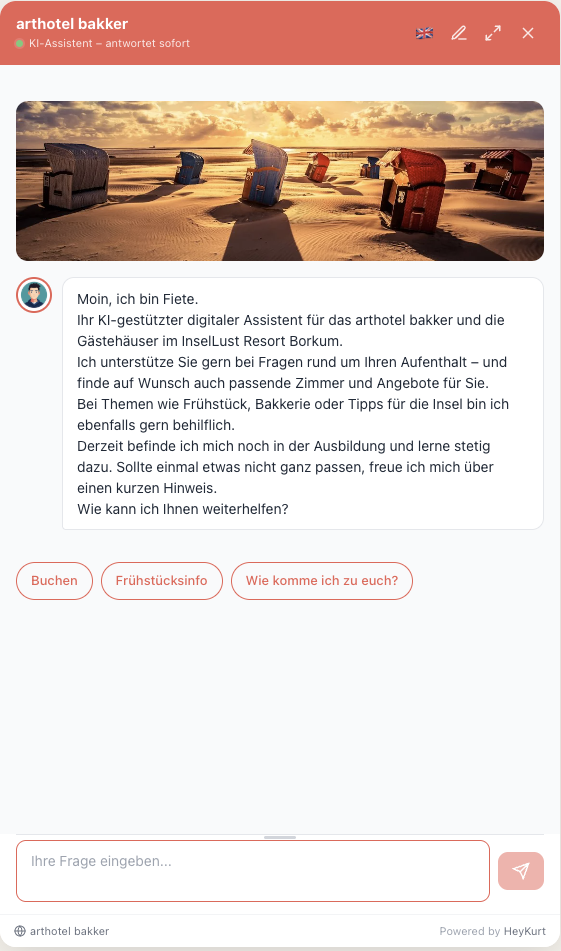
Colours
Primary colour, background, text, header text, message bubbles for guest and assistant, plus background and text of the suggestions – each set individually.
Type
Own font family and a base size from 12 to 18 px. Self-hosted font files are injected as @font-face – including house fonts that are not on Google Fonts.
Logo, hero image, avatar
Logo in the header, hero image above the welcome message, avatar for the answer bubbles – round, rounded or square.
Position and size
Bottom right, bottom left, as a top or bottom bar. The size is responsive: a minimum width in pixels and a preferred width in percent of the window, the same for height. Corner radius and the bubble's distance from the bottom edge are adjustable – useful where a cookie banner already sits there.
On the phone
Either fullscreen or as a sheet sliding up over the page, with adjustable height. Fullscreen is what makes the widget work behind a QR code at reception, in the room or at the pool.
Footer
The property name with a link to your own website on the left, the HeyKurt reference on the right – switchable off where the widget should carry no outside brand.
Colours from the booking engine
With a connected GauVendi booking engine, colours and type are read from there. Individual fields can be overridden deliberately while the rest keeps following automatically.
From the question to a pre-filled booking form
For hotels and holiday parks with a connected GauVendi Sales Engine. The assistant searches live availability and leads the conversation in stages up to the booking link.
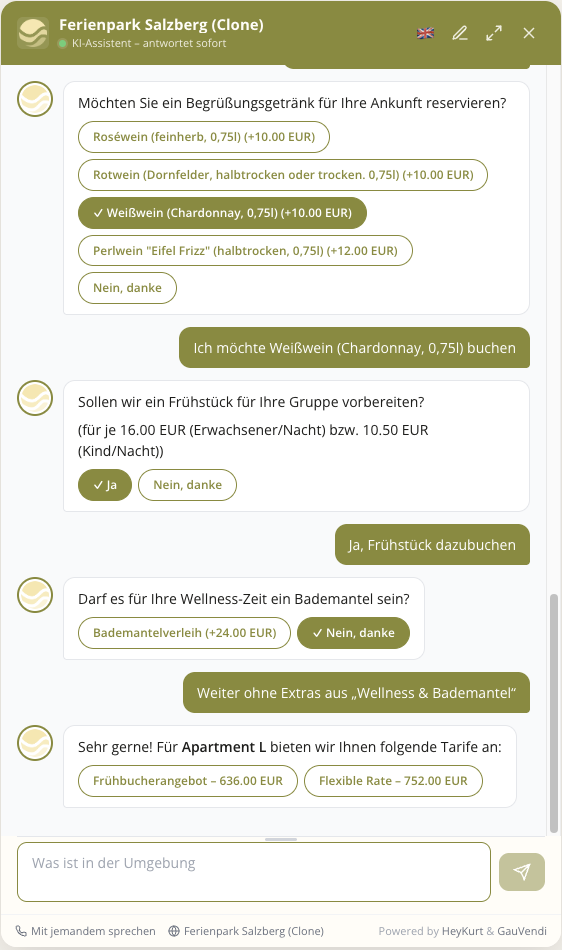
Live availability instead of a price list
A request with dates and party size goes to the booking engine and comes back as an offer with the real price for exactly that stay.
Offers as cards in a carousel
Rooms appear as cards with image, price and features, not as a list in prose. The assistant can only show what the booking engine returned; an invented room is ruled out.
Capacity at a glance
Number of guests, bedrooms, size, extra beds and the pet policy are on the card.
Feature filter
Ask for a sauna, a balcony or a lift and only matching rooms come back, with the requested feature highlighted on the card. Synonyms such as lift and elevator are treated as one.
Calendar in the chat
Dates and party size are picked, not typed. The picker opens on request or straight from a quick suggestion.
Extras and rates
After the room is chosen, meal plans come as a single choice and other extras can be switched on one by one. Prices are for the actual stay rather than list prices, and the total updates with every click.
The link carries everything over
The booking form already holds room, rate, dates, party size, price and the chosen extras. Your guest lands at the point where all that is left is to confirm.
Order of the offers
For the first three slots you decide what goes there: cheapest, second cheapest, most expensive, most popular, recommended or random. Everything from slot four follows ascending, descending or randomly.
Location map
A map with the locations of the houses or apartments can sit under the welcome message. For spread-out holiday parks it answers the question about where a place is before it is asked.
Back to the overview
"See all offers" shows the last delivered cards again, without a new search. Change something fundamental – other dates, another party size – and a new search starts without losing the thread.
Where the answers come from
The assistant answers exclusively from your sources. What is not in them, it does not invent.
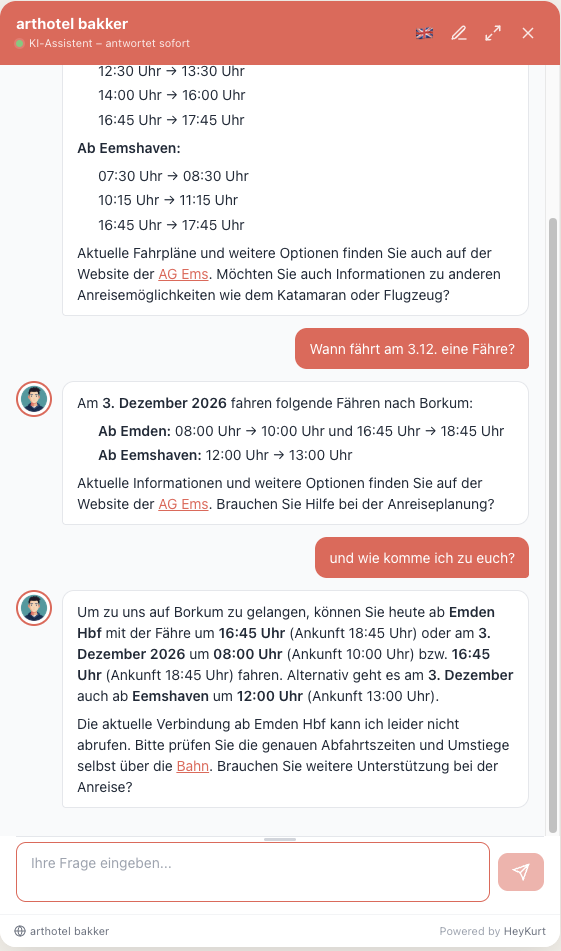
Your website
Kurt follows the sitemap and internal links. Pages that build their content with JavaScript are detected and rendered in a browser – no configuration needed.
PDFs and manuals
Guest directory, user manual, price list. Images and screenshots inside them are described by image analysis and searched along with the text.
Your own pages
Short texts written directly in the app's editor, without going through a document first. A page is searchable about five minutes after saving, or immediately on request.
Wiki
Outline and Wiki.js are read, never written to. What you delete or move there stops appearing in answers.
Helpdesk tickets
Freshdesk, Zoho Desk and Odoo supply resolved tickets. Every solution your team once wrote becomes findable again.
ViCo Manager
For holiday parks running ViCo Manager, info, amenities, spa, check-in and FAQ are imported automatically.
One search across all sources
Meaning and keyword are combined: semantic search finds "the door won't close" under "hinge adjustment", keyword search hits article numbers and product names exactly. A re-ranking step then scores the candidates against the actual question.
Live data next to the archive
Plugins add what changes constantly: train and public transport routes with real timetables, availability from the booking engine, reservations and online check-in links from apaleo.
What you see after the conversation
Every widget session can be read back in the app – not as a row of numbers, but as what the guest actually asked and clicked.
Sessions verbatim
The full conversation, filtered to the widget. From every card in the overview you jump straight into the session behind it.
What guests clicked
Which card was opened, which button pressed, which booking link followed – shown at the matching point in the transcript.
Traceable lookups
For every tool call, input and output can be inspected, down to the individual calls to the booking engine. Where an answer looks odd, the cause is visible rather than guessed at.
Knowledge gaps
Every question that could not be answered from existing sources is collected, grouped and sorted by frequency. If 15 guests ask the same thing in a week, it sits at the top.
Weekly report with a recommendation
A report analyses the most frequent gaps and proposes what to do: write an FAQ, update a document, pass it to the product side. The draft can be taken into the knowledge base as your own page with one click.
What happens on the guest's side – and what does not
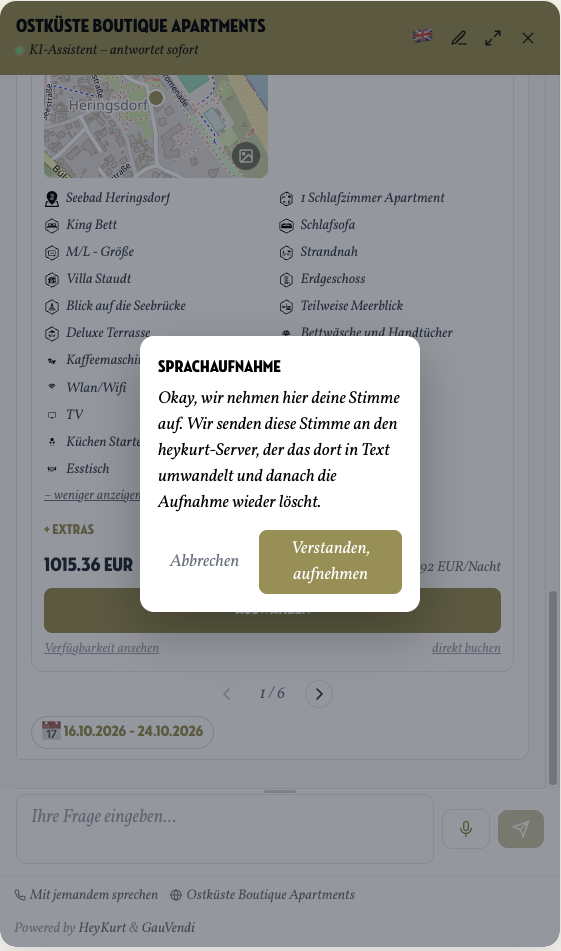
No cookies
The widget sets no cookies and writes nothing to browser storage. The session identifier lives in memory and is gone when the page reloads.
Loaded asynchronously
The script is loaded asynchronously. Your page does not wait for it to render.
Hosted in Germany
Built and operated in Germany, data stays in the EU, GDPR-compliant.
Separated tenants
Every account has its own knowledge base with its own namespace in the vector database. Nothing flows between accounts.
Keys and domains
Every widget has its own key, which can be regenerated at any time, and a list of allowed domains.
Common questions about the widget
Do I need a developer to embed it?
Does the widget set cookies?
Which pages does the widget run on?
How quickly do changes take effect?
What happens when the assistant does not know something?
Does the widget work on phones?
Can I run several widgets?
Can guests book in the chat?
What does the widget cost?
Can we run the widget without a HeyKurt reference?
Try the widget on your own site
In a short call, we'll show you how the widget looks on your site.
Book a callBy the way: the widget in the bottom right of this page is the one described here. Ask it something.